
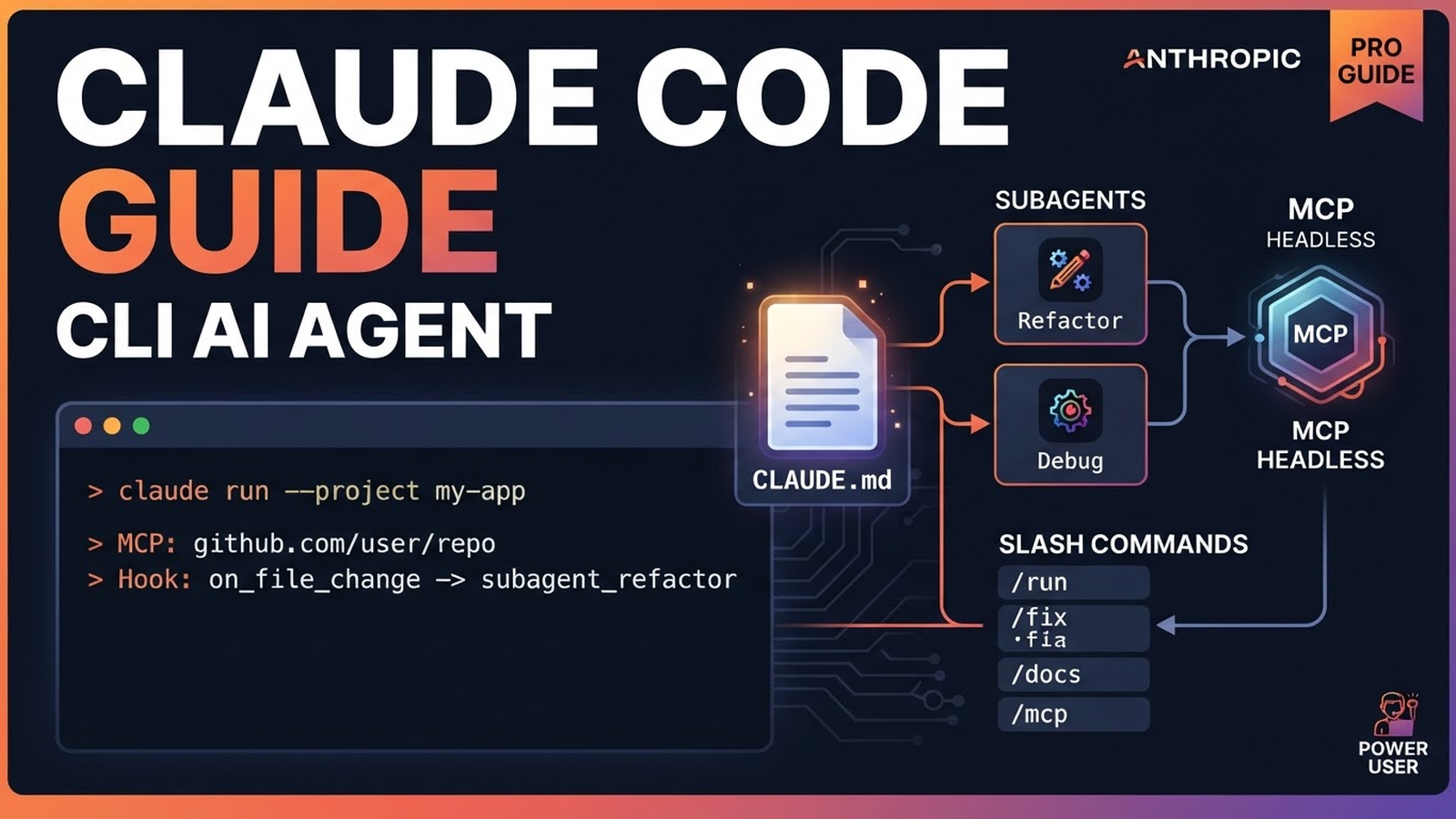
Claude Code: Complete Guide to Installation and Power Features
Claude Code is Anthropic's official CLI agent that lives in your terminal with direct access to files, git, processes. Unlike web chat, it can read/write code, run tests, commit, deploy — all in your repo.
1. Installation & Quick Start
# macOS (Homebrew)
brew install claude-code

# Linux / WSL
curl -fsSL https://claude.ai/install.sh | bash

# Or via npm (all platforms)
npm install -g @anthropic-ai/claude-code
After install:
claude auth login    # browser auth (needs Anthropic account)
claude               # start interactive mode
2. CLAUDE.md — Project Memory (Most Important!)
Create CLAUDE.md in repo root — it auto-loads into every context. Saves repeated explanations on every run.
# CLAUDE.md — example for TypeScript/React project
## Stack
- TypeScript 5.x, React 18, Vite
- Tailwind CSS, shadcn/ui
- Vitest + React Testing Library
- ESLint (flat config), Prettier

## Commands
- dev: npm run dev
- build: npm run build
- test: npm run test
- lint: npm run lint
- typecheck: npm run typecheck

## Code Rules
- Don't touch .claude/ and .github/ folders
- Components in src/components/, hooks in src/hooks/
- Imports: absolute via @/ (tsconfig paths)
- State: useState for UI, Zustand for global
- Async: try/catch + Result pattern

## Git
- Branches: feature/*, fix/*, chore/*
- Commits: Conventional Commits (feat:, fix:, chore:)
- PR: squash merge, delete branch
Pro tip: Keep CLAUDE.md updated — the agent follows it literally.
3. Hooks — Event-Driven Automation
Hooks in .claude/settings.json run commands on events.
{
  "hooks": {
    "PostToolUse": [
      {
        "matcher": "Write|Edit|MultiEdit",
        "hooks": [
          {"type": "command", "command": "npm run lint -- --fix"},
          {"type": "command", "command": "npm run format"}
        ]
      }
    ],
    "PreToolUse": [
      {
        "matcher": "Bash",
        "hooks": [
          {"type": "command", "command": "echo 'Running: $TOOL_INPUT'"}
        ]
      }
    ],
    "Notification": [
      {"type": "command", "command": "notify-send 'Claude Code' 'Task completed'"}
    ]
  }
}
Typical use cases: auto-format on write, lint before commit, logs on error, system notifications.
4. Subagents — Specialized Sub-Agents
Create your own agents in .claude/agents/ with their own system prompts and permissions.
# .claude/agents/code-reviewer.md
---
name: code-reviewer
description: "Use when code needs review before commit. Checks for bugs, style, security."
tools: [Read, Grep, Glob, Bash]
---

You are a senior code reviewer. Focus on:
1. Security vulnerabilities (SQLi, XSS, path traversal)
2. Performance issues (N+1, unnecessary re-renders)
3. Code style consistency
4. Test coverage gaps
5. Proper error handling

Be concise. Output format:
- **Critical**: must fix
- **Warning**: should fix
- **Nitpick**: optional improvement
# .claude/agents/test-writer.md
---
name: test-writer
description: "Use when new feature needs tests. Writes Vitest/RTL tests."
tools: [Read, Write, Edit, Bash]
---
You write comprehensive tests following project patterns.
- Unit tests for utils/hooks
- Integration tests for API routes
- Component tests with RTL
- Edge cases and error statesRun: claude -a code-reviewer "Review my changes"
5. Headless Mode — For CI/CD & Scripts
# Non-interactive run with JSON output
claude -p "Migrate DB: add created_at to users" --output-format json

# In GitHub Actions
- name: Run Claude Code
  run: |
    claude -p "$TASK" --output-format json |
    jq -r '.result' > output.md

# In cron / scripts
claude -p "Update deps and run tests" --output-format text
In headless mode, Claude Code becomes an automation tool, not just interactive chat.
6. MCP Servers — Connect Your Data
Model Context Protocol lets you connect databases, APIs, browser, GitHub — one MCP works in Cursor, Claude Desktop, and Claude Code.
# .claude/settings.json
{
  "mcpServers": {
    "postgres": {
      "command": "npx",
      "args": ["-y", "@modelcontextprotocol/server-postgres", "$DATABASE_URL"]
    },
    "github": {
      "command": "npx",
      "args": ["-y", "@modelcontextprotocol/server-github"]
    },
    "filesystem": {
      "command": "npx",
      "args": ["-y", "@modelcontextprotocol/server-filesystem", "/path/to/project"]
    },
    "brave-search": {
      "command": "npx",
      "args": ["-y", "@modelcontextprotocol/server-brave-search", "$BRAVE_API_KEY"]
    }
  }
}
Popular MCPs: mcp servers list | awesome-mcp-servers
7. Slash Commands — Reusable Prompt Templates
Files in .claude/commands/ are parameterized templates.
# .claude/commands/deploy.md
---
name: deploy
description: "Deploy to production with checks"
---
1. Run full test suite: npm run test
2. Build: npm run build
3. Check bundle size: npm run analyze
4. Deploy: npm run deploy
5. Verify health endpoint

---
# .claude/commands/refactor.md
---
name: refactor
description: "Refactor code with safety checks"
args: ["target_file", "goal"]
---
Refactor $ARG_TARGET_FILE to $ARG_GOAL.
Steps:
1. Read file and understand context
2. Write tests if missing
3. Refactor incrementally
4. Run tests after each step
5. Update documentation
Usage: /deploy or /refactor src/api/users.ts "extract service layer"
8. Permission Modes — Trust Configuration
# Modes (switch in UI or flags)
# default — asks confirmation for dangerous ops
# auto-accept — auto-agrees (for trusted repos)
# plan-only — shows plan only, doesn't execute

# In settings.json
{
  "permissions": {
    "default": "default",
    "allow": ["Read", "Grep", "Glob"],
    "deny": ["Bash(rm -rf*)", "Bash(sudo*)"]
  }
}
9. Useful Aliases & Config
# ~/.bashrc or ~/.zshrc
alias cc='claude'
alias ccp='claude -p'
alias cca='claude -a'

# Export vars for MCP
source ~/.env.mcp  # DATABASE_URL, BRAVE_API_KEY, GITHUB_TOKEN
10. Links & Resources
- Official Site: claude.ai/code
- Documentation: docs.anthropic.com/claude-code
- GitHub Repo: anthropics/claude-code
- MCP Servers: modelcontextprotocol/servers
- Awesome MCP: punkpeye/awesome-mcp-servers
Quick Newbie Checklist
claude auth login— authorize- Create
CLAUDE.mdin repo - Configure
.claude/settings.json(hooks, MCP) - Create 1-2 subagents for your tasks
- Add slash-commands for routine
- Try headless mode in CI