
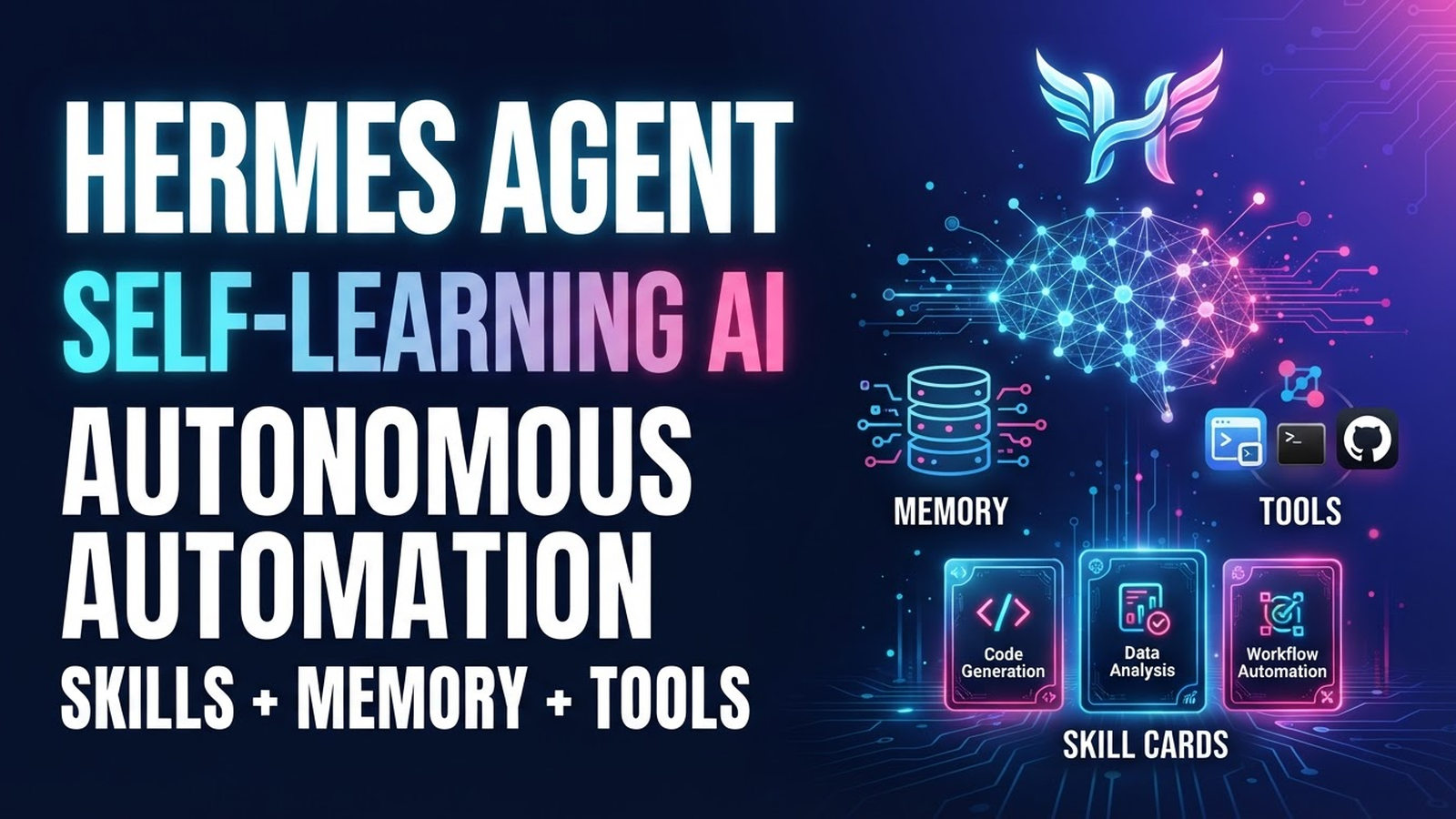
Hermes Agent: Installation and Configuration Guide for Autonomous AI Agent
AI chat for writing texts and code doesn't surprise anyone today. But AI agents don't just answer queries — they can publish posts, submit forms on websites, test applications, and send business meeting invites themselves.
Why Hermes Agent Is Trending?
Because it's like your mom's friend's son: it can do everything, self-learns, never forgets anything, and replies to you in your messenger.
When Is Hermes Agent More Effective Than Other AI Tools?
When you need to solve everything in one go. For example, create a content plan, prepare publications, and set up their posting to social media.
What Is the "Self-Learning Agent" Concept?
Hermes Agent uses skills, tools, and long-term memory. It learns from its own experience and strives to avoid errors when repeating tasks.
What Is Hermes Agent
This is an autonomous AI assistant that, based on a request, forms subtasks, engages external tools, and provides a step-by-step solution. At the same time, the AI agent works in tight integration with models, cloud or local, through which it passes its operations.
Key Elements of Hermes Agent:
Skills. The agent can master a specific ability or work with an additional platform. For example, document summarization or GitHub integration.
Memory. Hermes Agent saves and uses project specifics, user preferences, and other nuances in its built-in SQLite database for new tasks.
Tool Gateway. Hermes Agent can launch and use external services: browsers and search engines, image generators, terminals.
Profiles. You can assemble multiple assistants, each specializing in specific tasks, such as code work or text preparation.
Task Execution Cycle:
The agent receives a user request and breaks it into subtasks.
Then selects the appropriate tool or skill.
Encountering an error, for example in code or during app deployment, it corrects actions and saves this to memory.
As a result, the agent completes the task and learns so next time it won't repeat mistakes and will try to do everything right the first time.
Hermes Agent Workflow:
- The agent receives a user request and breaks it into subtasks.
- Then selects the appropriate tool or skill.
- Encountering an error, for example in code or during app deployment, corrects actions and saves this to memory.
- As a result, the agent completes the task and learns so next time it won't repeat mistakes and will try to do everything right the first time.
Hermes Agent Capabilities
The maximum depends on the chosen model, activated tools, mastered skills, and user settings. But even on the bare minimum you can go beyond a standard chatbot.
Browsers and Search
Hermes Agent can find websites on the internet and actively interact with web pages: authorize, submit forms, download content.
Code Preparation and Command Execution
The agent can analyze code and find bugs, including with simple tests. It can also interact with the terminal, install dependencies, and run scripts.
Sending Notifications
The native scheduler recognizes cron expressions and natural language commands. For example, you can ask the agent to send notifications on important matters every day at a specific time.
Automation
The agent can study a set of documents and output key information or draw attention to specific metrics.
File Operations
The agent can create directories for specific requests. It can be asked to collect files with specified parameters, such as a certain size.
CLI Work
Hermes is also useful for administration using the command line interface. For example, you can ask it to track processes with over 80% CPU and RAM load and send a corresponding notification.
System Requirements
An AI agent is always used in conjunction with an AI model. Hermes Agent itself without LLM is lightweight.
Installing Hermes Agent
Installation is a single command:
Linux / macOS / WSL / desktopcurl -fsSL https://raw.githubusercontent.com/NousResearch/hermes-agent/main/scripts/install.sh | bash Initial Configuration
Use the command:
bashhermes setup Then engage an external AI service or connect the agent to your local LLM. For this, run the command:
bashhermes model And select your deployed model.
We recommend working with LLMs running on GPU servers. This ensures high security, protection from vendor lock-in, and the ability to use the necessary power for large models.
After connecting the model, you can start communicating with the agent.
bashhermes Verification
Run the first session with the hermes chat command to verify the connection works. Optionally, you can configure communication with the agent through various platforms, including messengers.
External Platforms Setup Wizard:
bashhermes gateway setup Launching Messengers:
hermes gateway For example, you want to communicate with the agent via Telegram. In that case, select the corresponding messenger in the setup interface and then enter your Telegram bot data. You can also add bot data to the config file:
~/.hermes/.envHow to Create a Telegram Bot for Hermes Agent
Open Telegram and go to the official bots account @BotFather.
Send /newbot and then specify two names:
Name — how the bot will appear in the contacts list. You can name it based on the task profile or simply Hermes Agent. But generally you can choose any name.
Username — unique Latin address ending in bot. For example, hermes_bot.
If correct names are specified, BotFather will send the HTTP API. This is the key to the bot. Keep it safe and don't show it in public areas so third parties don't get access to your AI assistant.
Update
hermes update After updating, you can run the recommended verification.
Repository Cleanliness Check:
git status --short Example git status --short output:
D old_file.txt — file deleted (Deleted).
Configuration, Dependencies, and Services Health Check:
hermes doctor Version Update Correctness Check:
hermes --version If using gateway:
hermes gateway status If doctor reports npm audit issues, run in the specified directory:
npm audit fix. You can also update Hermes directly from Telegram, WhatsApp, and other messengers by sending to the bot:
/update The update will start downloading and the running gateway will restart. Usually the bot goes offline for 5—15 seconds during this time and then continues working.
Uninstallation
hermes uninstall The uninstaller offers to keep config files (~/.hermes/) for future reinstallation.
Manual Uninstallation
rm -f ~/.local/bin/hermes
 rm -rf /path/to/hermes-agent
 rm -rf ~/.hermes
Optionally: don't delete the config file (~/.hermes) if you plan to reinstall the agent.
If gateway is installed as a system service, first stop and disable it:
hermes gateway stop Linux:
systemctl --user disable hermes-gateway macOS:
launchctl remove ai.hermes.gateway Hermes CLI Commands
Here are several popular commands for working with Hermes Agent.
hermes chat — start chat with agent.hermes doctor — diagnose config and dependency issues.
hermes setup — launch agent setup wizard.
hermes model — connect or change AI provider or local LLM.
hermes config — show config files, allow editing and transferring.
hermes profile — profile management.
hermes sessions — view, export, clean, rename, and delete sessions.
hermes skills — view, install, publish, audit, and configure skills.
hermes tools — configure tools.
hermes memory — work with memory.
hermes update — update agent.
Server Deployment
Hermes Agent can be launched in different ways.
Most preferred: on a separate server — your own or rented from a provider.
Least secure: on your own PC. In this case there's a risk of data confidentiality breach: with deep system integration and the agent getting excessive permissions.
Hermes Agent is lightweight, but needs a connected LLM for computation.
Cloud model from an external AI vendor — fast but insecure. Data is exposed to leak risks, the vendor may leave the market at any moment, and payment processing difficulties may arise.
Local model — installed on your own or rented hardware. Depending on its size, it will require a GPU with a certain amount of VRAM, as well as RAM and SSD.
Let's Examine Hosting Options in Detail.
VPS. Suitable for deploying the agent itself. Sometimes on a separate cloud server with modest config you can also deploy a small LLM. For example, if it's about a chatbot for simple tasks.
GPU Servers. Cloud and dedicated physical servers with professional video cards are needed for hosting more powerful LLMs. Usually for data processing, code work, text preparation you need models with 26B+ parameters.
Access and Security.
SSH. The main way to remotely manage the server and perform necessary configurations.
VPN. To minimize unauthorized access risks, use a corporate VPN.
Secure Perimeter. For ensuring high security standards and integration into attested information systems, use secured GPU servers.
Hermes Agent + Ollama = Full Data Privacy
To ensure protection from data leaks, we recommend deploying Hermes with Ollama and a connected local LLM.
Model Examples:
DeepSeek-Coder — tailored for code work and reasoning.
Qwen3.6/Qwen3.8 and Gemma4 — universal models adapted for a wide task pool.
glm-4.7-Flash — specializes in balanced analytics and administration tasks.
Llama — many builds for different tasks and an active user community.
There are many families and builds of local LLMs. Choose the appropriate option based on your project tasks and available resources.
Useful Guides for Working with LLMs
Above we touched on two massive topics: LLMs with open weights and installing necessary software for local AI. Our materials will help you understand:
Which LLMs can be deployed on your own or rented servers and what metrics to consider when choosing them — we covered here.
Why Ollama, Open WebUI, Docker, and other software are needed when running local AI and how to install it all — explained here.
Installing Ollama
1. Connect to the server via SSH and run:
curl -fsSL https://ollama.com/install.sh | sh 2. Install a model using the ollama run command, specifying the LLM and required parameter count. For example, to install Gemma 4 with 31b params:
ollama run gemma4:31b Parameter count can be chosen based on available options. Full documentation, installation specifics, and supported LLM models are on the official Ollama website.
Connecting Ollama to Hermes Agent
In hermes setup select Custom Endpoint. Then specify the following parameters:
URL — http://localhost:11434/v1
API key — leave empty, not required for local model.
Model — gemma4:31b or your chosen one.
Alternative path via config file editing:
~/.hermes/config.yamlmodel:
default: "gemma4:31b"
provider: "custom"
base_url: "http://localhost:11434/v1"As a result, the agent works fully autonomously, not sending data to external services.
Ollama, Hermes and Telegram
All three components can be connected as follows.
Create a bot in Telegram using the guide above and get the API for communication. Then make the following settings in the config file.
~/.hermes/config.yamlmodel:
default: "gemma4:31b"
provider: "custom"
base_url: "http://localhost:11434/v1"
platforms:
telegram:
enabled: true
token: enter token provided by telegram bot.
Launch the configured tool:
hermes gateway Now you can communicate with the Telegram bot using a local LLM.
Skills
Skills are saved scripts for specific tasks. They can be built-in and user-created, as well as imported and exported.
Built-in and optional. Git work, basic search, file reading. Many categories supported: blockchain, health, creative, devops, finance, and many others.
User-created. Can be created for specific scenarios. For example, you can create analyze_logs and define an action chain: "read log.txt — find 500 errors — suggest solution".
Import/Export. You can share skills with other users by passing JSON config files. However, treat imported files with caution and avoid installing from untrusted sources.
How to Enable or Disable Hermes Agent Skills
In Hermes Agent, skill management usually happens via CLI or TUI and config files.
Working with Skills via CLI
For quick skill management use the command
hermes skills View all available skills:
hermes skills list The command outputs a list of all installed skills and their current status: enabled or disabled.
Enable a skill:
hermes skills enable Example: teach the agent to search the web:
hermes skills enable web_search Disable a skill:
hermes skills disable As a security example, disable the agent's ability to delete files:
hermes skills disable file_delete Managing Skills via Config File
Open the profile config file.
Find the skills section.
Change value from false to true (or vice versa) for the desired skill.
Restart the agent.
Tool Gateway
This is the agent's interface for interacting with the outside world.
Web Search & Browser. Allows the agent to visit sites, read documentation, and search for fresh news.
Image Generation. Used for integration with neural networks for image generation. For example with DALL-E or Stable Diffusion.
TTS (Text-to-Speech). Turns agent's text responses into voice.
Security. You can configure specific permissions. For example, so the agent can read files but not delete them without your confirmation.
MCP (Model Context Protocol)
MCP — an open protocol for models to interact with external data sources and tools: GitHub, databases, file systems, browser stacks, APIs, and many others.
Through Model Context Protocol you can connect ready-made tools to the agent without creating them from scratch yourself.
Memory and Profiles
Hermes doesn't forget context, tasks, and its experience after restart, update, or closing chat.
Sessions — chat histories that the agent saves automatically. Thanks to this it can resume interrupted tasks, account for previous discussions and context.
Persistent Memory — permanent memory stored in two files:
MEMORY.md — information about decisions made and conclusions from previous sessions.
USER.md — user preferences, expectations, communication style.
Project and user data Hermes Agent stores in a native SQLite database.
Profiles — you can run multiple agents in one system, each with its own profile with its own personality, skills, memories, and other features.
SOUL.md — key personality file where you can tell the agent how to identify itself: role, communication style, preferred approach in work and technologies used. In general, RPG in real life: you essentially create a character with specific skills, beliefs, competencies, and character.
For accumulated memory you can create backups.
Practical Usage Scenarios
Based on possible roles and tasks, the following Hermes Agent usage variants can be highlighted.
AI Programmer
Writing and debugging code.
Automatic test runs, bug fixes, and updates.
Saving successful dev templates as reusable skills.
Researcher
Multi-step information search on the internet and deep web page analysis.Data collection for report creation.
Ability to output collected and processed results in messenger.
Corporate Assistant
24/7 processing of employee and client requests from different communication channels.Integration with corporate knowledge bases, e.g., via RAG systems.
Generation of daily briefings and tasks.
Document Processing
Summarization of various documents and files.Key data extraction from texts.
Automatic conversion and report preparation.
DevOps
Autonomous monitoring of system alerts and logs on schedule.Execution of standard instructions during failures.
Sending operational incident reports to Telegram.
Home Automation
Integration with Home Assistant for voice and text control.Voice note processing and routine automation.
Home system monitoring with reminders and notifications in messengers.
User Support
Receiving requests in Telegram, WhatsApp, Discord, or Slack.Operational voice message transcription.
Fast resolution of typical issues using accumulated skill base, search, or connected RAG systems.
Personal AI Secretary
Task planning and sending morning digests.Maintaining long-term memory about habits, projects, and user preferences.
Supporting background work in the cloud even when user's device is off.
Integrations
Hermes Agent can work with many tools.IDE. Integration with VS Code, Cursor, and JetBrains (via MCP or API).
Messengers. Creating a bot in Telegram, Slack, or Discord that accepts requests right in chat.
Webhooks. Ability to receive notifications from other systems and automatically react to them.
Performance and Security
This question comes down to both the agent and model hosting format, and numerous Hermes Agent settings.
Differences between closed AI models and local LLMs.
Closed AI Models. Maximum answer accuracy and performance. Legal and reputational risks due to data leaks. Vendor may leave the market. Difficulties processing payments for subscriptions.
Local Models. Speed and accuracy depend on hardware, chosen model, and its build. Powerful GPU servers needed for large and demanding models. At the same time, full isolation of processed data can be implemented with high security standards and certified protection tools.
Several Tips for Safe Work with Hermes Agent
Action Confirmation. Use command confirmation before execution so the agent clarifies important operations. For example, when sending emails or deleting files.
Caution. Don't use API keys in open code.
Data Confidentiality. Remember that sensitive data can only be processed in compliance with organizational, legal, and technical information protection requirements.
Working with AI agents requires special vigilance and competence in security settings. Therefore, for corporate tasks we recommend installing and configuring Hermes Agent with cybersecurity specialists.
FAQ
When to Choose Hermes Agent?
When you need not just an AI chat, but an autonomous assistant for various scenarios, long context, and multi-step task solutions.
Who Is It For?
Developers, DevOps engineers, testers, analysts, marketers, project managers, and many other specialists who want to automate routine tasks with AI.
When Is a Regular AI Chat Better?
When you need to quickly write an email, translate a short text, or ask a question without deep integration into processes and project context.
What Are the Recommendations for Starting with Hermes Agent?
Better to install Hermes Agent on a separate cloud server and connect an LLM deployed on a GPU server. This makes it easier to ensure data isolation, implement secure scenarios, high security standards, and protection from vendor lock-in.